
Billing
The Billing panel shows your workspace's subscription and lets you change it. To open it, click the gear at the top of the Hooby Flow sidebar, then choose Billing in the Settings panel list.
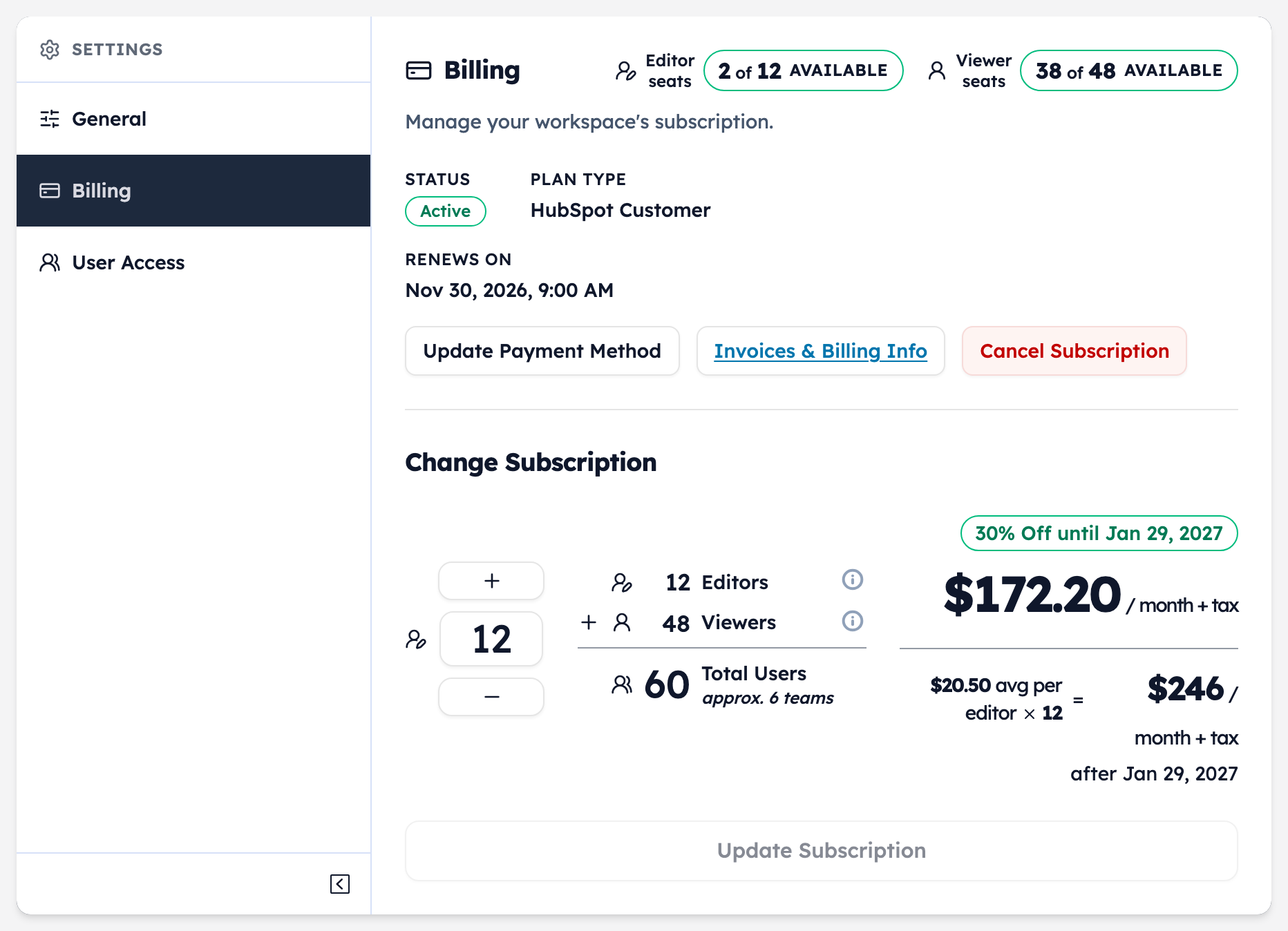
Your Subscription
The top of the panel shows:
- Status, such as Active, Past Due or Cancelled.
- Plan Type: HubSpot Customer or HubSpot Partner.
- Renews On, or the date the subscription ends if you've cancelled it.
- Editor seats and Viewer seats available, out of the seats you've bought.
Under these are the subscription's buttons:
- Update Payment Method changes the card you pay with.
- Invoices & Billing Info opens your billing portal, where you can download invoices and update your billing details.
- Cancel Subscription cancels at the end of your billing period.
Change Subscription
To add or remove Editor seats, use the + and − buttons. Viewer seats change with them, and the calculator shows your new monthly price. Then click Update Subscription. The change takes effect right away, and your next invoice is prorated.

If you remove seats that are in use, Hooby Flow moves people down to fit: Editors become Viewers, then Viewers lose access. Admins are never changed. To choose who keeps their role, free up seats on User Access before you remove them.
Canceling
When you cancel, your subscription stays active until the end of the current billing period. Your workspace's data is permanently deleted 30 days after that date. Until then, you can resume your subscription from this panel.

Only Admins can see the Billing panel.