
Parent Flows
A Parent Flow is the bigger process this Flow is a detail of. It's the Flow that has this one as a Child Flow.
How to read it
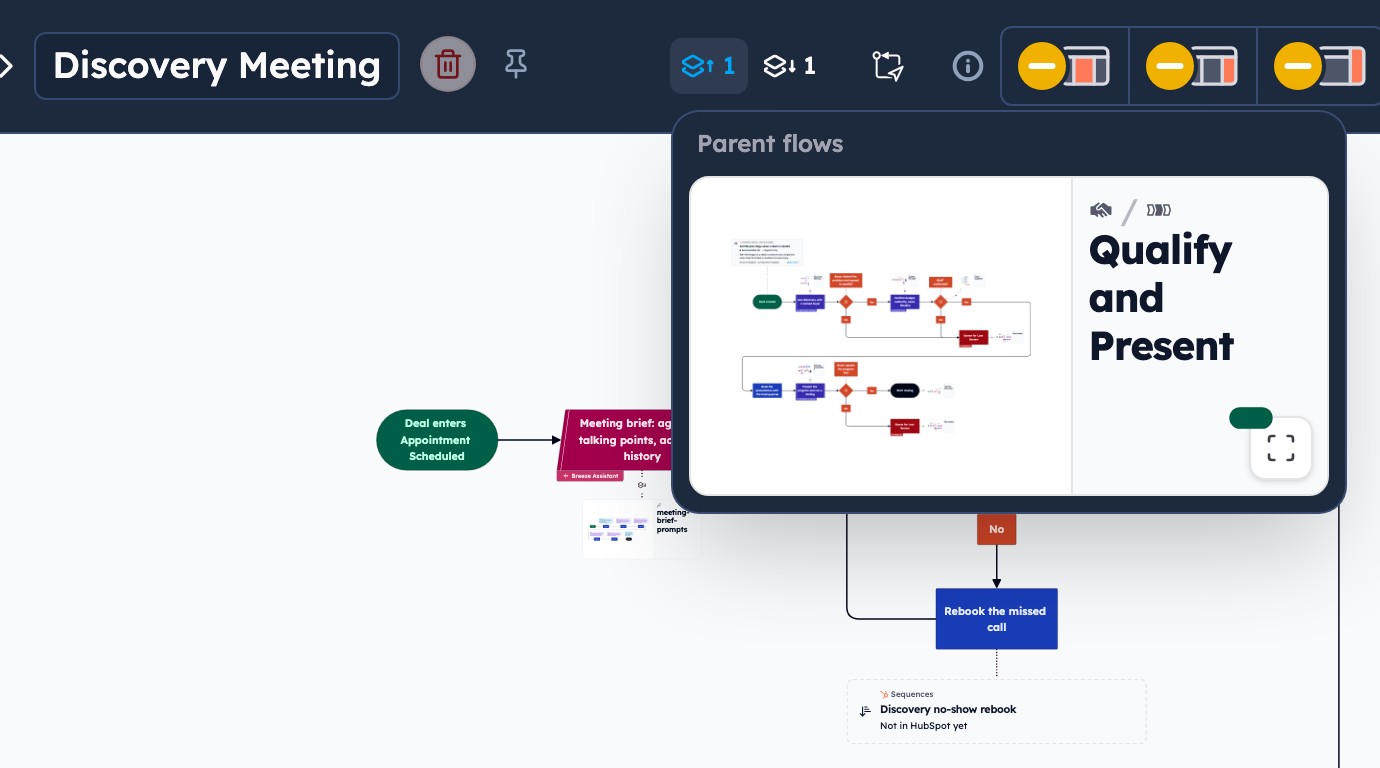
To see a Flow's Parent Flows, use the Parent Flows dropdown in the Header. It's the Parent Flows icon next to the Flow's name, with a count of its Parent Flows. Click it to list them, each as a Flow card. When a Flow has no Parent Flows, the dropdown isn't shown.
A Flow can have several Parent Flows. A process that's reused in more than one place, like a shared approval or handoff, shows each Flow that uses it.

Click a Parent Flow card in the dropdown to open the parent at the element that links to this Flow, so you land right where this detail fits into the bigger picture. For more on moving between Flows, jump to Navigating the Flow.
To remove a Parent Flow while editing, jump to Editing Child Flows.