
Sidebar
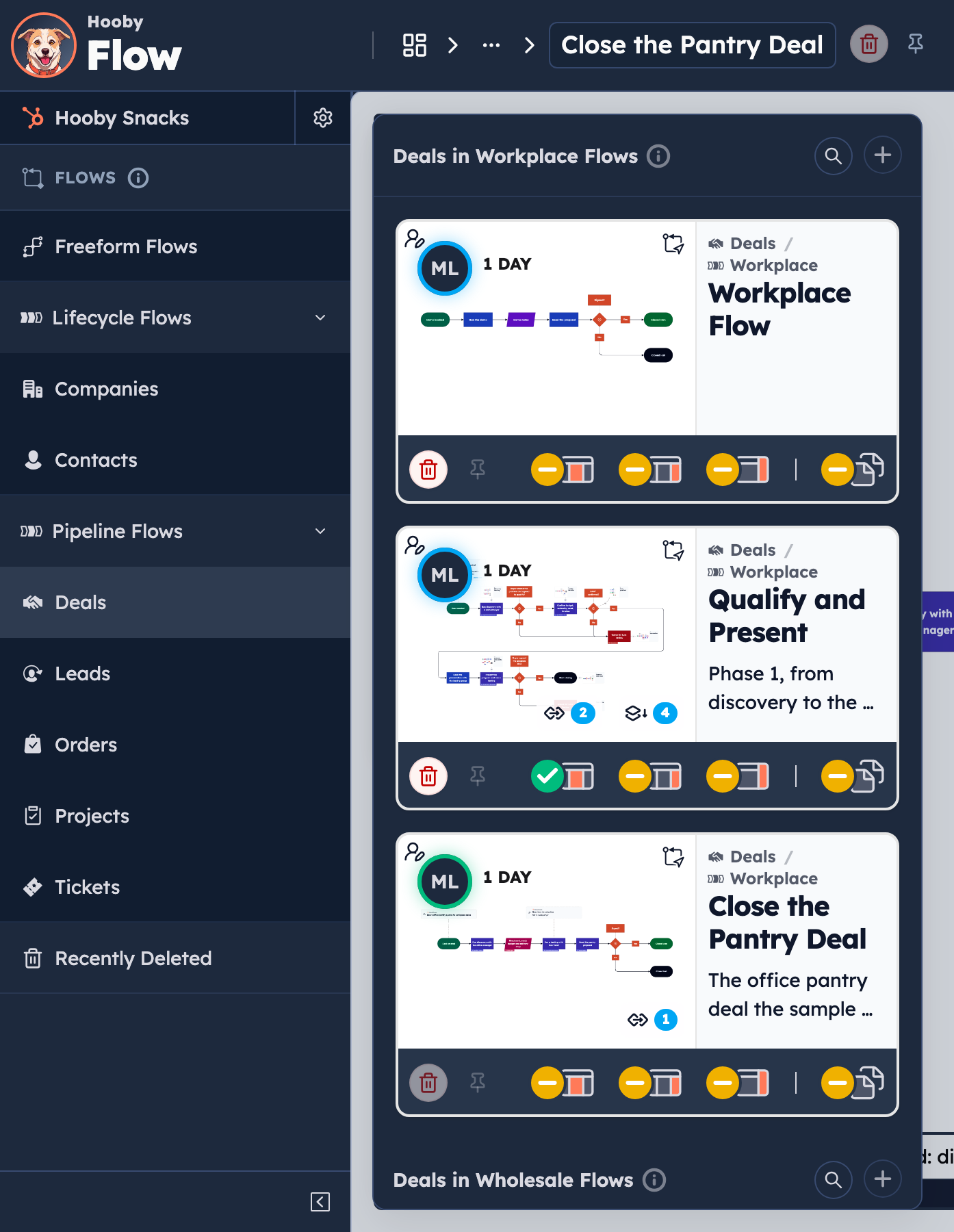
The Sidebar runs down the left of every screen in Hooby Flow. It links back to HubSpot, opens Settings, and lists every Flow in the workspace, grouped the same way HubSpot groups records.
The account row
Just under the Hooby logo is the HubSpot account's name, or the workspace name if one is set in Settings. Click it to open Flow Home in HubSpot in a new tab.
The gear beside it () opens Settings, where admins manage the workspace and who can do what.
The Flow lists
Under the Flows heading, every Flow sits in one of three groups:
- Freeform Flows. Flows that aren't tied to a HubSpot pipeline.
- Lifecycle Flows. One item for each object type with a single lifecycle, like Contacts and Companies.
- Pipeline Flows. One item for each object type that can have several pipelines, like Deals, Tickets and custom objects.
The object types listed come from HubSpot, through HubSpot Sync, so a new pipeline or custom object shows up here once it's synced.
Sidebar menus
Click an item to open its menu beside the Sidebar. While a menu is open, hovering another item switches to that item's menu.
- An object type's menu lists its Flows by pipeline. Each pipeline has its own search box and a plus button () that creates a new Flow for that pipeline. Click a pipeline's heading to open the full list of that object type's Flows.
- The Freeform Flows menu lists Freeform Flows with a search box and a plus button. Freeform Flows that are Child Flows of a Lifecycle or Pipeline Flow are left out unless you turn on Include Pipeline Children Flows.
Each Flow in a menu is a Flow card. Click it to open the Flow in the Flow Editor, or use its toolbar to pin it, delete it, or see where it shows in HubSpot.

If the plus button is disabled and its tooltip says Create permissions are not enabled for your user, your role can view Flows but not create them. An admin can change that in Settings.
Recently Deleted
Recently Deleted (), at the bottom of the lists, holds Flows deleted in the last 7 days. It's greyed out when there are none. Each Flow's card counts down the days until it's permanently deleted, and has buttons to restore it or delete it permanently now. The menu's heading has buttons to restore all of them or permanently delete all of them at once.
Collapsing the Sidebar
The toggle at the bottom of the Sidebar, or the edge of the Sidebar itself, collapses it to a narrow strip of icons and expands it again.
For the other parts of Hooby Flow, jump to Hooby Flow.
To create or delete Flows, jump to Creating Flows and Deleting Flows.