
User Access
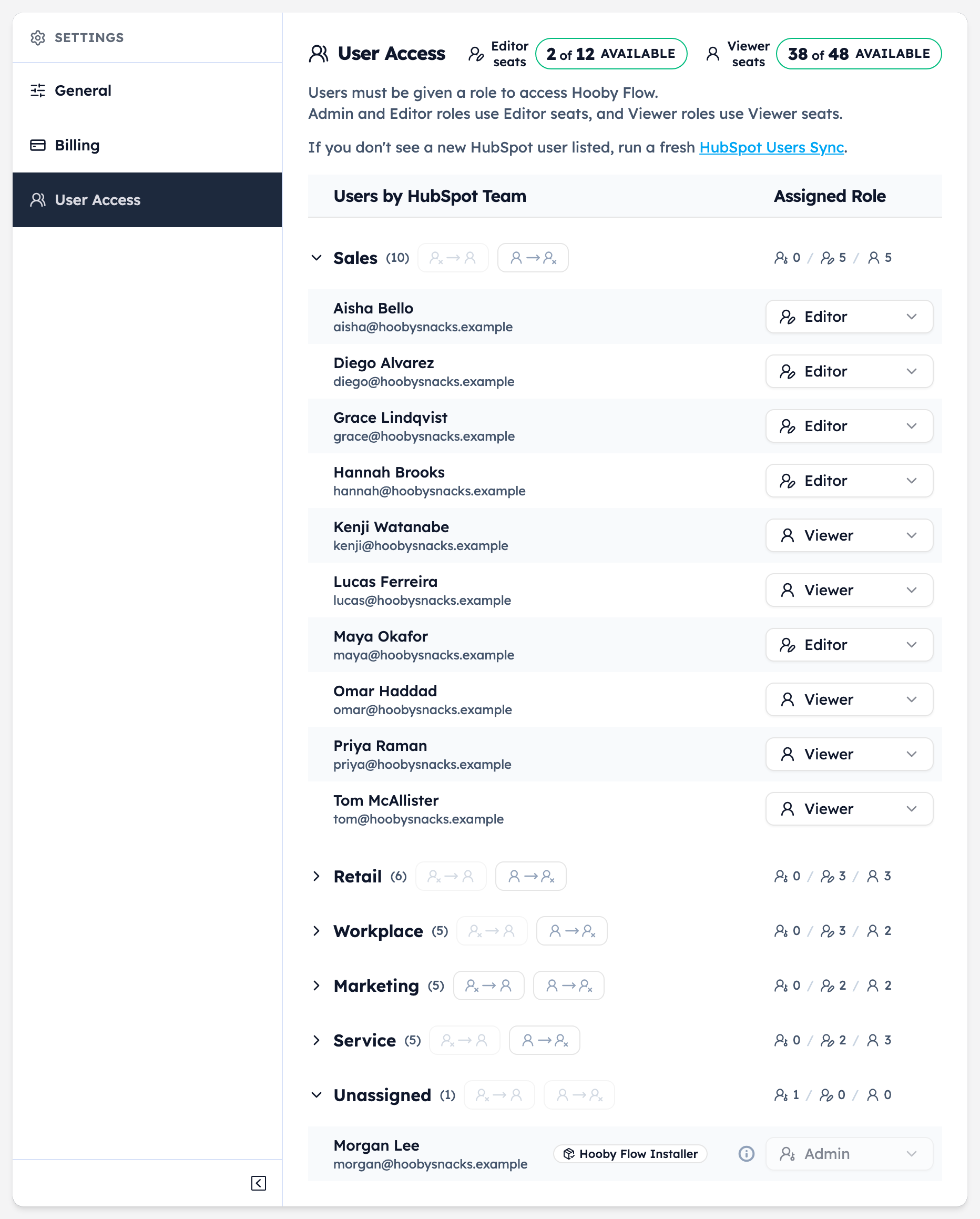
Everyone in your HubSpot portal is listed on the User Access panel, grouped by their HubSpot team. Nobody needs an invitation. Each person needs a role to use Hooby Flow, and you give them one here. To open it, click the gear at the top of the Hooby Flow sidebar, then choose User Access in the Settings panel list.
Roles
Pick a role from the menu beside each person:
- Admin: full control of Hooby Flow, including Settings. Uses an Editor seat.
- Editor: creates and edits Flows. Uses an Editor seat.
- Viewer: sees Flows, everywhere they appear. Uses a Viewer seat.
- No access: can't use Hooby Flow, and uses no seat.
The counters at the top show how many Editor and Viewer seats are still available. When every seat of a kind is in use, the roles that need one can't be picked. Add seats on Billing, or free one up.
Teams
Each team shows how many people it has, and how many of them are Admins, Editors and Viewers. Someone on more than one HubSpot team is listed under each, and their role is the same everywhere. Click a team's name to collapse or expand it.
Beside each team's name are two shortcuts. One gives everyone on the team with no access the Viewer role. The other removes access from everyone on the team who's a Viewer.

If someone new to your HubSpot portal isn't listed, click HubSpot Users Sync in the panel's description to sync your users again.
The Hooby Flow Installer
The person who installed Hooby Flow for your portal is marked Hooby Flow Installer, and always stays an Admin.
Consultants From Your HubSpot Partner
If your HubSpot Solutions Partner subscribes to Hooby Flow and lists its consultants' emails, those consultants are shown with your partner's organization name. They don't use any of your seats.

Only Admins can see the User Access panel.