
Leadership
Hooby Flow's primary objective is to help you build a clear, documented and shared understanding of how effort flows up, down and across your organization. The recommendations below come from what we've seen work. Treat them as a playbook, not a checklist: pick and choose what fits your organization.

New to the thinking behind Hooby Flow? Read The Reason for why we believe a shared process map is a missing piece in most revenue organizations, and The Rationale for why we built it the way we did.
Own the Flow
Hooby Flow is built primarily for the layer in your organization tasked with managing effort:
When change must be made, be it from good news or bad, it's your job to guide your teams through the full iteration:
- Identify what should change.
- Decide how it should change.
- Decide who should own and execute the change.
- Decide when to re-evaluate the change.
- Ensure the change is actually re-evaluated, then start again.
Most organizations are reasonably good at the first three steps. The last two are where change quietly falls apart: nobody remembers what was decided, nobody remembers why, and the next round of change is argued from memory instead of from the record.
The process map you build with Hooby Flow is your live-editable visual aid to guide all of these decisions. It's the place you point to when identifying what should change, the place you edit together when deciding how, and the record you return to when it's time to re-evaluate. Every edit is recorded on the
Flow timeline
, so when results move you can put the map from any point in time next to your HubSpot reports and see which process changes drove the difference.
The more effort you and your management peers put into knowing the map you've co-created, the more effective you'll be at guiding your teams through your organization's changes.
Curate, don't crowdsource
It's also important to remember that noise is the enemy of clarity. A process map is only useful if it's both accurate and easy to follow, and every unreviewed edit chips away at one or the other. Too many cooks in a kitchen make for an unbalanced meal.
For this reason, we strongly recommend that you debate your process changes collectively with your teams, but carefully gatekeep the changes you make. Hooby Flow is built and priced around exactly this balance: Editor seats go to your curators, and those seats bundle Viewer seats for everyone you collaborate with. Your teams can see the whole map, follow along in realtime as it's edited, and bring their input to the conversation. A small group of owners decides what actually lands on the map.

See Assign Ownership but Iterate Together for practical ways to strike this balance.

Be clear on the incentives
Process mapping asks your people to make their work visible. How they respond depends almost entirely on what they believe you'll do with it, so tell them plainly, early, and more than once.
If your people think you're process mapping to replace them with AI, they'll be reluctant to participate. They'll leave out the judgment calls, the workarounds and the hard-won context that make the map worth having. Be direct about the real goal: removing the friction that causes long hours, re-litigated handoffs and dropped balls. Where AI does come into the picture, the map is what makes it useful to your people: it gives AI assistants the context to answer "how do we do this here?" with the process your teams actually agreed on, instead of a plausible-sounding guess that may be partly or entirely hallucinated. It also makes clear which steps belong to people and which belong to automation.
If your people think you'll use the map to micromanage them, they'll be reluctant to participate. The map describes the process, not the people. It should capture what needs to happen, who owns each handoff, and the criteria your organization uses to make decisions. It should not become a step-by-step script that removes your people's judgment, or a scorecard you hold over them in one-on-ones.
Done well, the incentives line up naturally. A clear map means faster onboarding, fewer interruptions, real vacations, and fewer blame-driven post-mortems, because everyone can see where the boundaries are and how effort flows across them.
Schedule time & talent
A process map doesn't build itself, and it won't get built in the margins of everyone's week. Treat it like any other initiative: give it owners and give it time.
Find your owners. Identify who, other than yourself, down the org tree has the matching skill and interest to own their part of the map. Good candidates are usually the people others already go to with "how do we do this?" questions: team leads, RevOps, your HubSpot power users. They'll be your Editors. Give them clear areas of ownership (a pipeline, a team, a handoff) so it's always obvious who curates what.
Make it part of your meetings. Allocate time for process mapping in the meetings you already hold, rather than adding new ones. Because anyone on your team can open the same Flow and view it together in realtime, there's no screen-sharing or meeting link required to pull the map up and discuss it.
While working toward v1:
- Bring a scaffold Flow to the meeting for any process you want to map. It's far easier for a team to react to a rough draft than to a blank canvas.
- Collect the collaborative input using Context elements, so the discussion is captured right where it applies on the Flow.
- Have the owner implement the Flow changes independently after the meeting, and bring the updated Flow to the next one for review.
Once mapped:
- Use the relevant Flows as your visual aid whenever you discuss process with your team, from one-on-ones to all hands.
- When a conversation surfaces something that's changed in practice, open the Flow and capture it while everyone involved is still in the room.
Every new hire and every vacation is a test of your map. See Learn From Every Onboarding & Vacation to turn them into improvements.
Consider outside help
Revenue departments employ many talented people, but very few of those people have likely ever built an organization-wide process map. If your team is short on time or experience, you can accelerate the journey to your process map v1.0 with the help of an outside expert.
HubSpot's Solutions Partner program includes RevOps experts who know your industry, know the human and automated processes that really work, and can help you get your teams organized on top of Hooby Flow.

With for our HubSpot Solutions Partners
Daywards is a software company, not a RevOps agency. We're looking for partners who'd like to use Hooby Flow as a creative tool when pitching their RevOps services. We're offering 75% off on Partner Editor seats* as a sweetener.
If you'd like to pitch a Hooby Flow implementation project, we're also offering a 60% off only-for-your-agency discount code* to offer to your clients as a sweetener.
If interested, drop us your info and we'll reach out soon.
Rollout guide
Once your owners and your meeting time are in place, here's the order we recommend for building your first process map. Each stage builds on the last, and each one delivers value on its own, so you don't have to finish the whole map before your teams start benefiting.
Collect your existing process documentation & get it on your Flow Cards
You almost certainly have process documentation already: slide decks, wiki pages, PDFs, whiteboard photos and diagrams from other drawing tools. Don't throw it away, and don't try to translate it all at once.
- Start by gathering it into Freeform Flows, adding the existing diagrams and screenshots as Image elements.
- Put those Flows on your Flow Cards right away. Your existing documentation becomes visible on the HubSpot records your teams already work, which is an immediate win before a single Flow is rebuilt.
- Annotate those images with your team to plan the translation to Flow syntax, marking up what's still accurate, what's changed, and what's missing right on the image itself.
- Consider any bulletin-style messages you want in front of your teams on their HubSpot records: policy reminders, current priorities, temporary changes. The Bulletin Flow shows how to put them where they can't easily be ignored.
Flesh out & link your Pipeline Flows
Your HubSpot pipelines are the backbone of your revenue process, and the best place to start mapping in earnest. You won't be starting from a blank canvas: during setup, Hooby Flow creates a Pipeline Flow for each of your active pipelines and a Lifecycle Flow for your contact & company lifecycles.
Each of these starter Flows has one step per stage, in the same order as HubSpot. Where a pipeline has clear won and lost stages, the starter Flow also includes the decision points where records advance or drop out. Where Hooby Flow can see your
HubSpot workflows
, workflows that enroll records in a stage or move records into one are already attached to that stage's step as accessories.
What the starter Flows can't know is how your teams actually work each stage. That's your job:
- Replace each [Describe stage] placeholder with action-oriented language that says what gets done at that stage, like "Qualify budget & timeline" rather than "Qualification". Keep every step at the same level of detail. See Name Carefully and Use Consistent Detail per Step for more.
- Attach a Context element to each step to define the roles involved: who owns the step, who contributes, and who needs to know when it's done.
- Wherever a step or decision has real detail behind it, such as the tasks that make up a stage or the criteria behind a go/no-go call, capture that detail in a Child Flow rather than crowding the pipeline. The Pipeline Flow stays readable at a glance, and anyone who needs the detail is one click away.
- Break up long pipelines into named stage groupings, each its own Flow. A Flow that covers a handful of stages at one consistent level of detail is far easier to read than one that tries to cover everything.
- Add Next Flows on the final stage Steps. Starter Flows have no End: a record stays in its final stage, so those Steps are the outcomes, and the handoff to the next pipeline belongs on them. Processes don't stop at a pipeline boundary, and the handoffs between pipelines are where balls most often get dropped.
- Review the attached workflows, and add any that are missing, so everyone can see what's automated.
The Pipeline Flow walks through a complete example.
Map how your pipelines are reviewed up the chain
Your pipelines describe how work moves across the organization. Just as important is how information about that work moves up it: the forecast calls, pipeline reviews, QBRs and leadership meetings where decisions about change actually get made.
- Map each recurring review with a Recurring Meeting Flow: what information is needed, what decisions need to be made, and what artifacts need to be created and distributed.
- Work backwards from each meeting with a Meeting Prep Flow, defining the prep each role in the room is responsible for. When people change seats, the expectations stay with the role, not with whoever happened to hold it last.
- Link the relevant pipeline Flows from each meeting Flow, so the process under discussion is always one click away.
This is where the change iteration from Own the Flow takes shape. Your review meetings are where change is identified and re-evaluated; mapping them makes sure that actually happens.
Organize your Flow Cards & Pages
A process map only adds clarity if your teams actually see it. Setup gives you a head start: your starter Pipeline and Lifecycle Flows are already on the Tab Cards of their matching HubSpot record types, and gathered on a "Pipelines" and a "Lifecycles" Flow Page. Once you have a solid set of Flows, put deliberate thought into where everything else shows up.
- Configure your Flow Cards so the right Flow is one glance away on every record type your teams work: the pipeline Flow, the battlecard, the bulletin.
- Use Flow Pages to organize your Flows on every dimension your teams need: by team, by function, by product, or all of the above. A Team Page for each team is a great place to start.
- Use them for more than processes. Cards and Pages are also how you get the content that matters (battlecards, bulletins, onboarding material) in front of your teams where they work.
See Workshop Your Flow Cards & Pages for how to involve your teams in getting this right.
Add other Flows
With your pipelines, reviews, cards and pages in place, you have the backbone of your process map. From here, expand it to cover the rest of how your organization works. Share the per-function guides with the managers and owners on each of your teams:
And browse our Flow library for effective patterns you can adapt to your organization:
Break apart long pipelines into a sequence of pipeline Flows. Add your HubSpot workflows as accessories so everyone knows what's automated. Connect the ends of each pipeline to the start of the next to ensure no balls are dropped.
Map your Contact & Company lifecycle stages, and pin the HubSpot settings that move people through them—defaults on create, lead & deal sync, and stage automation—so everyone can see how HubSpot is wired. Put the Flow directly in view on your HubSpot records.
For each tool your team regularly uses, and for every workflow they repeatedly do in that tool, create a Flow that documents what to do. Capture screenshots & annotate them with extra context.
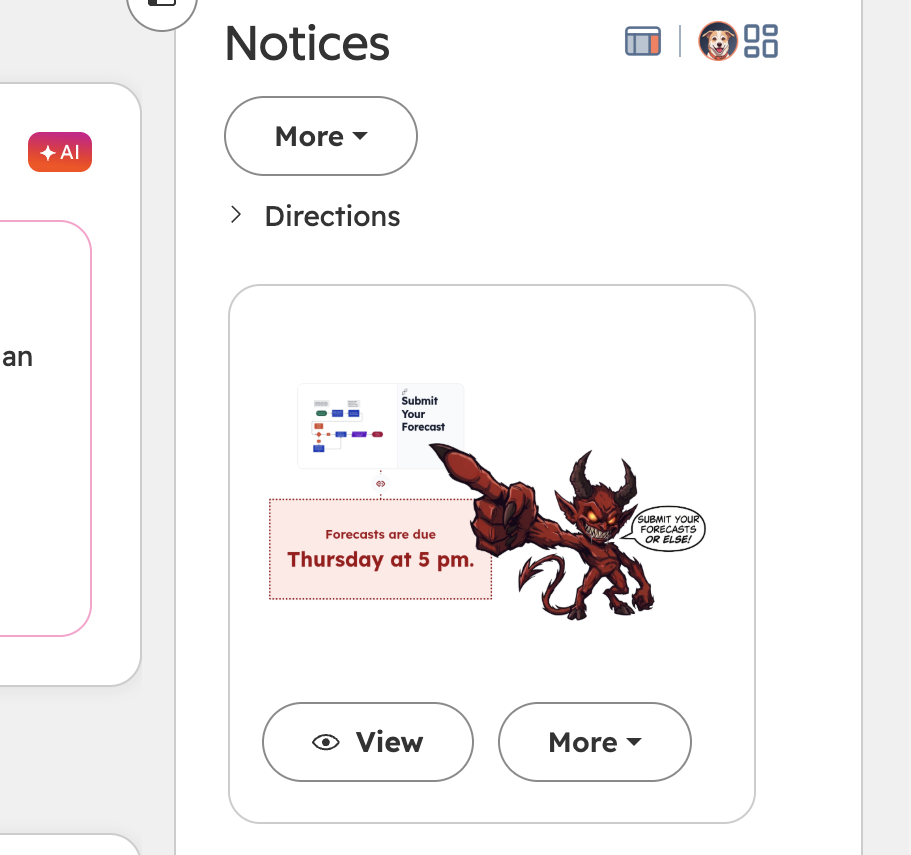
Nag your teams in the most effective way possible. Put a bulletin they can't easily ignore on every HubSpot record they work.
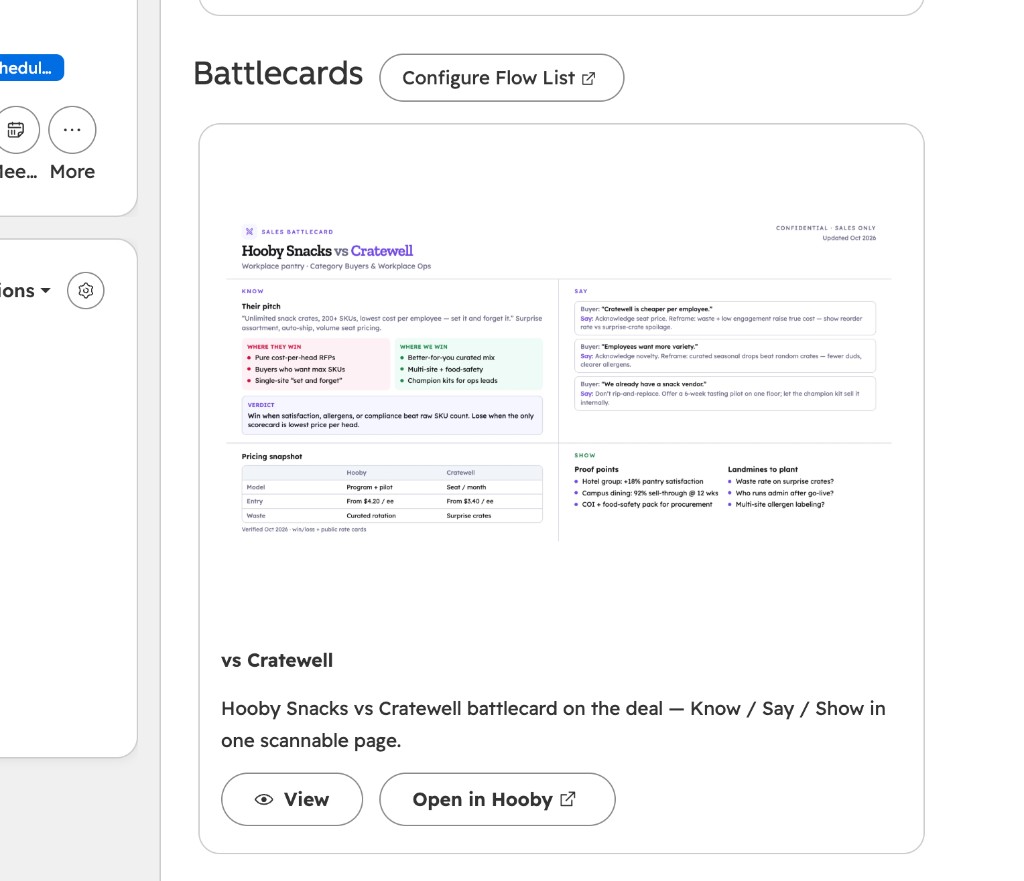
Get your battlecards directly in view for your sales teams. Annotate them regularly with fresh learnings.
For each meeting, fully map what information is needed, what decisions need to be made, and what artifacts need to be created and distributed. Link the relevant Flows so they can be easily accessed in each meeting.
Work backwards from your recurring meeting Flows to document what prep work is required from each member, ensuring you have everything you need to run your meetings efficiently & successfully.
Hosting a successful event requires the coordination of so many moving parts. Define a high-level Flow that communicates the major steps, and use child Flows to ensure every detail is covered.
Get your product roadmaps directly in view on the HubSpot records your teams are working. Annotate them with talking points & other context and update them regularly as schedules shift.
Define the common onboarding steps for new hires, then branch by team or role to define the specific onboarding steps for each. Give them space in your Flow Pages so everyone can easily find them.
Your people go on vacation. It's good for them. Make life easier for those not on vacation by carefully defining what handoffs need to be made per role when your people step away and when they return.
Show your RevOps clients exactly the operational improvements they can make if they work with you. Show them exactly where the HubSpot workflows you'll build for them will fit in their people processes.
When you need to communicate that a single decision is made up of lots of questions & answers, create a Decision element child Flow that defines the full decision tree. Use for BANT, MEDDIC, lead scoring decisions and more.
Iterate
Your process map is never finished, and that's the point. Your market will shift, your team will grow, and your tools will change. The map's job is to keep pace, so that every change is made deliberately and recorded where everyone can see it.
- Return to the change iteration regularly: identify, decide how, decide who, decide when, and actually re-evaluate.
- Use your mapped review meetings as the cadence for it, and the Flow timeline to see what changed and when.
- Keep curating. As the map grows, revisit ownership, prune Flows that no longer earn their place, and keep each Flow at one clear level of detail with the rest nested in Child Flows.
We're iterating on Hooby Flow the same way, with our customers and partners. Several features on our roadmap are aimed squarely at management: the Hooby Role Map will give you one place to define how you and your reports fit into the revenue engine, and Hooby Scent Trails will let anyone leave feedback on any Flow for its owners to review and resolve.
- Leadership
- Own the Flow
- Curate, don't crowdsource
- Be clear on the incentives
- Schedule time & talent
- Consider outside help
- Rollout guide
- Collect your existing process documentation & get it on your Flow Cards
- Flesh out & link your Pipeline Flows
- Map how your pipelines are reviewed up the chain
- Organize your Flow Cards & Pages
- Add other Flows
- Iterate