
Flow Home
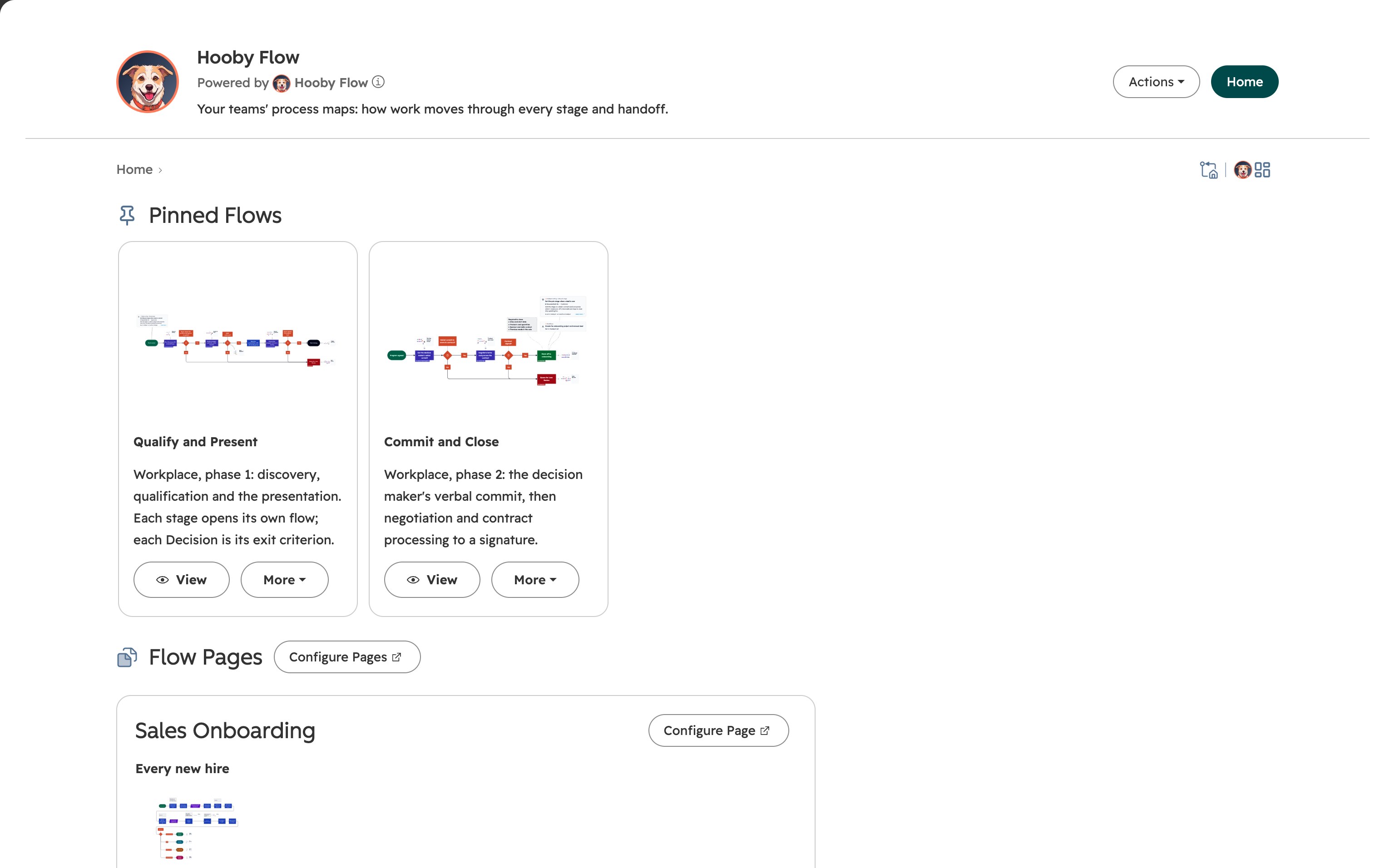
Flow Home is Hooby Flow's home page inside HubSpot. It shows the Flows you've pinned, and a preview of every Flow Page, so the Flows that aren't tied to a record are one click away from anywhere in HubSpot.
Getting to Flow Home
- From Hooby Flow. Click the HubSpot account name at the top of the Sidebar. Flow Home opens in a new tab.
- From a Flow Page. Click Home in the page's breadcrumbs or header.
Pinned Flows
The first section lists the Flows you've pinned, most recently pinned first, as small tiles with each Flow's name and description. Your pins are your own, and they're the same ones the Dashboard shows in Hooby Flow.
Each tile works like a tile on a record card: View opens the Flow in the Flow Navigator, and Open in Hooby opens it in Hooby Flow. For more, jump to Flow tiles.
With nothing pinned yet, the section shows a No Pinned Flows tile with a link to open the Dashboard. Pin Flows from their cards in Hooby Flow, or from the Flow Navigator.
Flow Pages
The second section has a card for each Flow Page, in the order set in the Flow Pages Configurator. Each card shows:
- The page's name.
- Its first two sections, each with its name and small images of its Flows. A page with more sections says how many more, like With 3 more sections.
- Go to Page, which opens the full page.
People who can change pages also see Configure Pages beside the section heading, and Configure Page on each page's card. Both open the Flow Pages Configurator in Hooby Flow.
With no pages set up yet, the section says No Flow Pages configured.
Back to Hooby Flow
The dashboard icon in the top right () and Open Dashboard in the page header both open the Dashboard in Hooby Flow, already signed in.


For the other cards and pages in HubSpot, jump to HubSpot.