
HubSpot Sync
Hooby Flow keeps its own copy of the HubSpot account's settings and metadata: its users, teams, pipelines, workflows, forms and more. HubSpot Sync shows how up to date that copy is, and updates it.
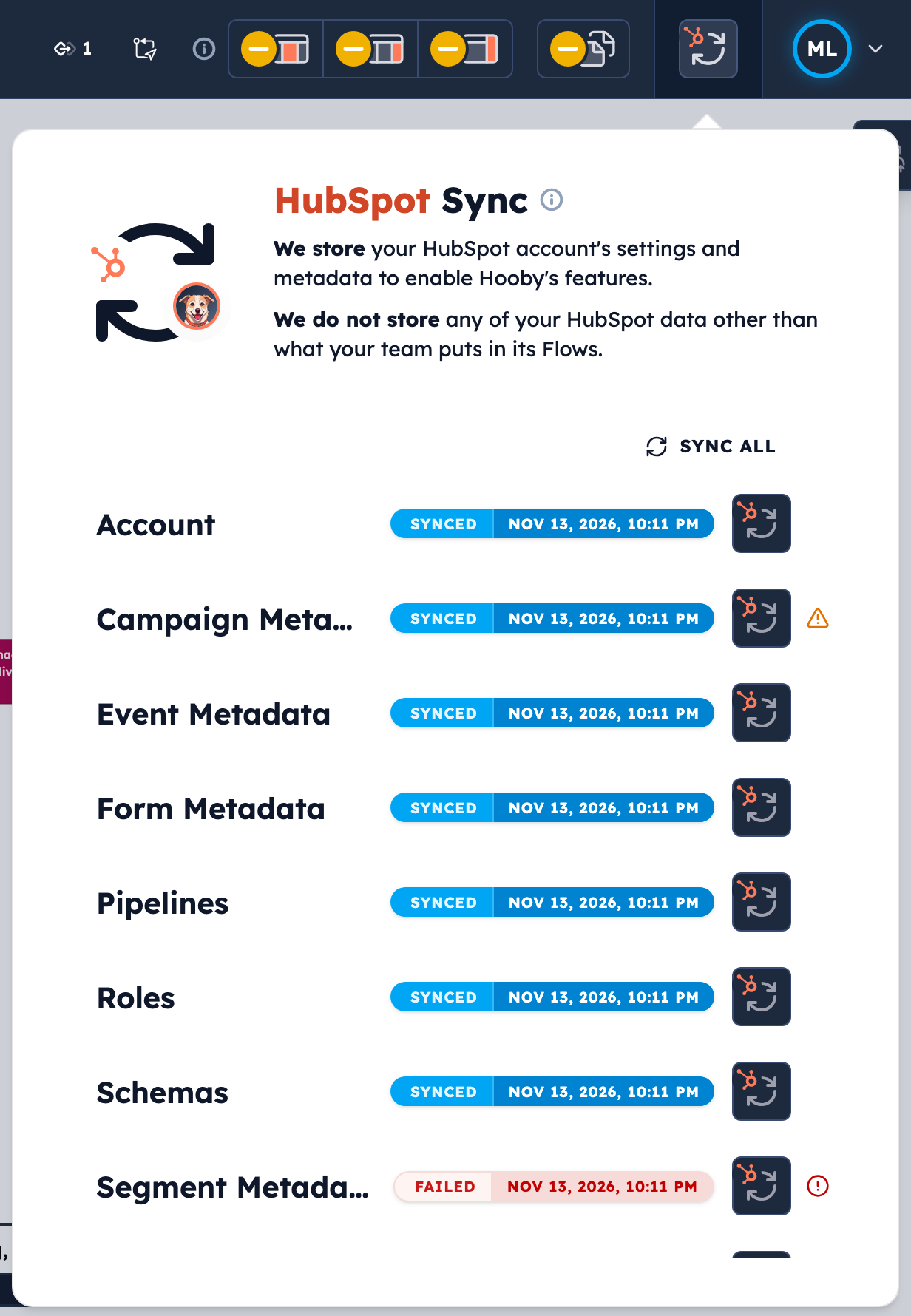
What gets synced
Only settings and metadata are synced, never CRM records like contacts or deals. That includes:
- The account, its users, teams and roles.
- Object types, including custom objects, and their pipelines and stages.
- Workflows, sequences, forms and campaigns, which HubSpot accessories show on a Flow.
- Lists and events, which those accessories can refer to.
This copy is what the rest of Hooby Flow reads from: the object types in the Sidebar, the stages on Lifecycle and Pipeline Stage tags, and the details on every workflow, sequence, form and campaign card.
When it syncs
Everything is synced once when Hooby Flow is set up. After that, run a sync whenever something has changed in HubSpot that Hooby Flow should show, like a new pipeline stage, a renamed workflow or a new custom object.
The HubSpot Sync panel
The Sync button () in the Header opens the panel. The button spins while any sync is running.
The panel lists each sync with its status:
- Waiting. This sync hasn't run yet.
- Synced, with a time. The last time it finished. A spinner shows while it runs again.
- Failed. The last run didn't finish. Click the badge to see what went wrong.
- A missing-access warning. Hooby Flow doesn't have the HubSpot access this sync needs. The HubSpot plan may not include it, or the person who installed Hooby Flow didn't authorize it or didn't have access to it. The warning links to re-authorize Hooby Flow, and to Choosing Scopes, which explains each kind of access.
Each sync has its own sync button, and Sync All at the top runs every sync at once.
If Hooby Flow's first-time setup didn't finish, the panel says so, with Retry Setup to run it again.

Only people whose role can run syncs can use the sync buttons. Everyone else can still see when each sync last ran. An admin sets this in Settings.

If a sync keeps failing, or a missing-access warning stays after re-authorizing, jump to Unblocking the Flow.