

Partner Program
The Partner Program panel is only on HubSpot Partner workspaces in the Hooby Partner Program. It holds a discount code to share with your clients, and lists the clients who've subscribed with it. To open it, click the gear at the top of the Hooby Flow sidebar, then choose Partner Program in the Settings panel list.
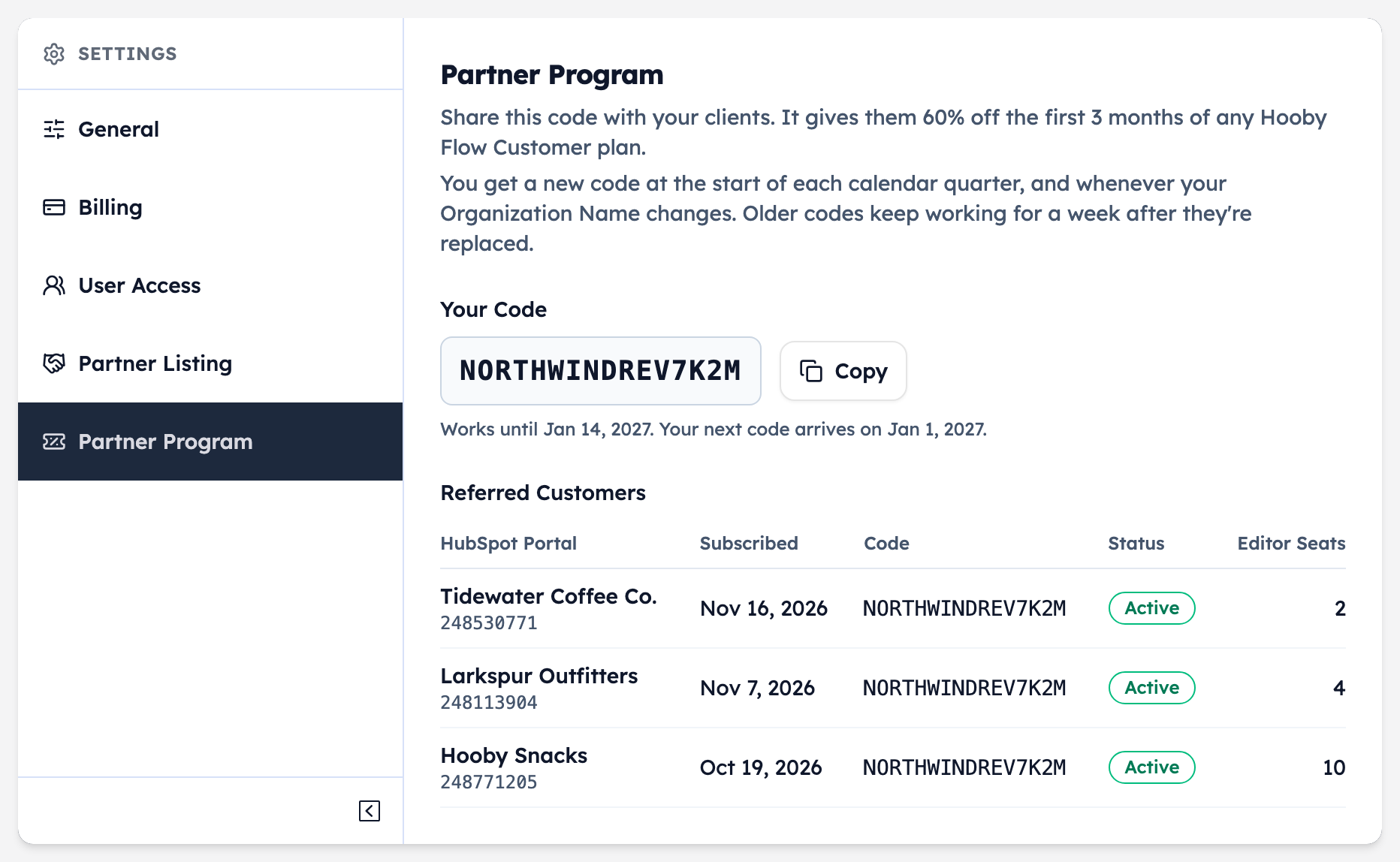
The Partner Program panel, with its current code and three referred customers.
Your Code
Share this code with your clients. It gives them 60% off the first three months of any Hooby Flow Customer plan. Click Copy to copy it.
Your code is built from your Partner Listing Organization Name, so set that first. You get a new code at the start of each calendar quarter, and whenever your Organization Name changes. Older codes keep working for a week after they're replaced. The panel shows when your current code stops working and when your next one arrives.
Referred Customers
Every client who's subscribed with one of your codes: their workspace name (or HubSpot account name) and HubSpot account ID, when they subscribed, the code they used, their subscription's status and how many Editor seats they have.