
What's a Flow?
A Flow is a flowchart. It's simplified to give your teams just the syntax they need to produce process maps that are accurate yet easy to follow, and enhanced with carefully chosen features to make process mapping truly useful for planning, problem-solving and day-to-day operations.
Hooby Flownoun, adverb, verb
Hooby Flow is a platform for process mapping.
The Hooby Flow is the simplified yet enhanced flowchart you edit to map your processes.
The Hooby Flow is also a state of doing. Yes you're making process flowcharts, but you're also wrangling all the actions that keep your revenue engine running into a format that can realistically guide how your teams operate. There is huge potential for collective clarity when you successfully chart the way effort travels through your organization.
But potential requires action. To Hooby Flow is also to iterate. We prefill your Lifecycle & Pipeline Flows with their matching HubSpot stages, but otherwise the map is yours to create.
In our Leadership guide, we offer a people playbook for rolling out Hooby Flow. It provides the iteration plan that takes you from kickoff meeting to live process map, and from live process map to collective clarity.

This section focuses on the syntax of the Hooby Flow.
For the platform interfaces, jump to Navigating the Flow.
For the editing guide, jump to Maintaining the Flow.
For patterns that build a successful process map, jump to Creating Effective Flows.

For our per-revenue-function tactical guides, jump to Adopting the Flow.
Kinds of Flows
Flows can associate directly with your HubSpot lifecycles and pipelines, or remain freeform. A successful process map will connect all 3 types of Flows.
Lifecycle Flows map directly to your Contact & Company lifecycle stages.
Pipeline Flows map directly to your HubSpot pipeline stages.
Freeform Flows are your 'catch-all' option for any Flow that does not directly map to a HubSpot lifecycle or pipeline.
Flow Elements
The flow of a Flow is defined using Flow elements, connected by Flow Connections.
The Start is where a Flow begins: what sets the process in motion.
An End is where a Flow finishes: one for each way the process can wrap up.
A Step is one piece of work: something a person, a team or an automation does.
Data shows information moving in or out of the process, like a form, a record or a report.
A Decision is where the process takes one path out of several, based on a question and its Answers.
Flow Accessories
Flow accessories add textual and visual context to the Flow. They can exist freely on the canvas or be connected to a specific Flow element using Accessory Connections.
A Context element is a note on the canvas that explains the elements around it.
An Image puts a picture on the canvas, with annotations that point at the exact spots that matter.
HubSpot Accessories
HubSpot accessories add HubSpot-specific context to a Flow element.
A Lifecycle or Pipeline Stage tag shows which HubSpot stage a record is in during a Step.
A Workflow card shows a HubSpot workflow that runs at that point in the process.
A Sequence card shows the HubSpot sales or service sequence a rep should use at that point in the process.
A Campaign card shows the HubSpot marketing campaign behind that part of the process.
A Setting card documents a HubSpot setting that acts on the Flow without a workflow.
A Form card shows a HubSpot form at the point in the process where someone fills it in.
Connections
Connections are the lines that connect your Flow elements & accessories into a coherent, meaningful Flow.
Flow connections are the arrows that show the order a process happens in.
Accessory connections are the dotted lines that attach notes and pictures to the elements they're about.
Flow Links
Flow links build a complete process map by connecting Flows together. They support child-parent relationships and previous-next relationships between Flows, plus references that let you link context in one Flow to another.
Child Flows are the detail behind a single Step, Decision or Data element.
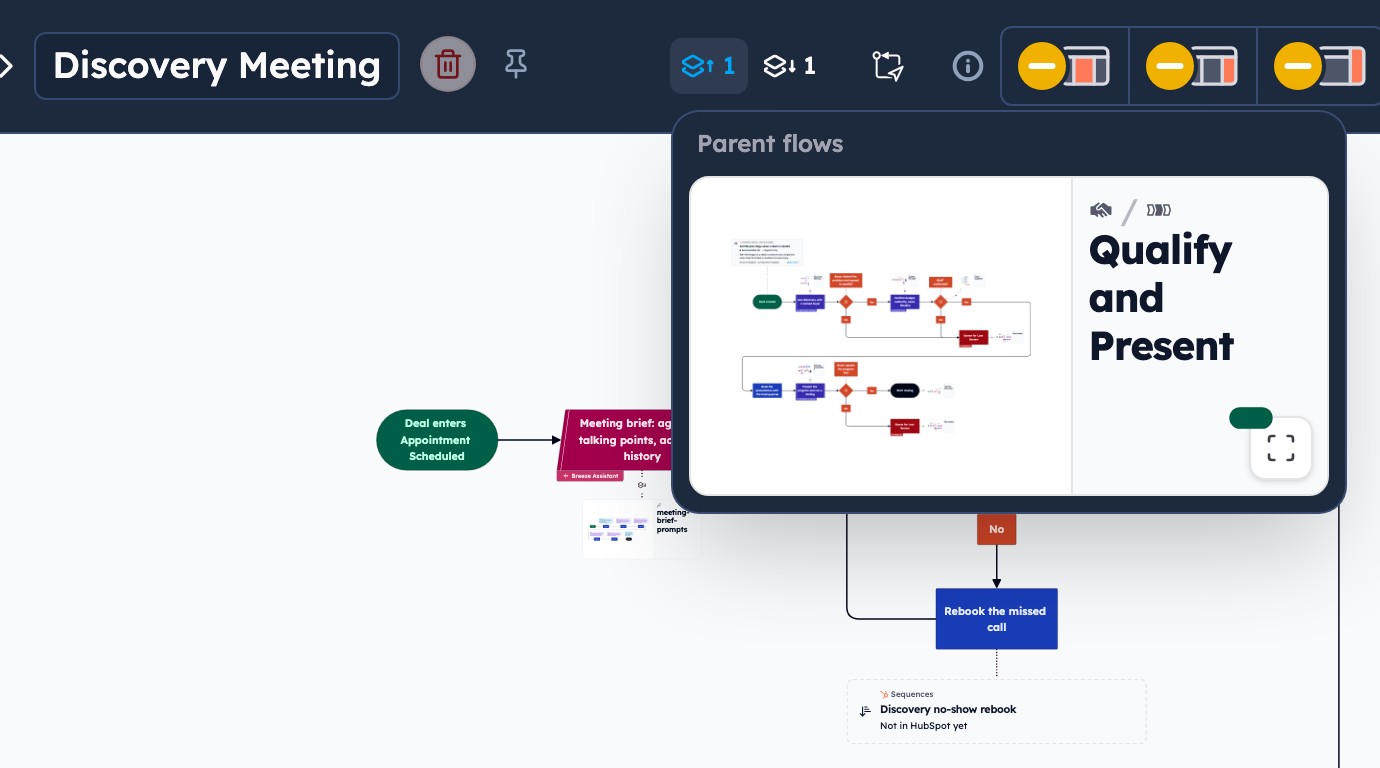
Parent Flows are the bigger processes that link this Flow as one of their Child Flows.
Next Flows link the process that picks up where this one leaves off, building one continuous process map.
Previous Flows are the processes that hand off to this Flow.
Reference Flows let you link context in one Flow to another.