

Why Hooby Flow?
Getting Started
Guides
Anatomy of a Flow
Viewing Flows
Editing Flows
Flow Cards
Flow Pages
Flow Strategies
Flow Library
Workspace Settings
Troubleshooting
Viewing FlowsInside Hooby Flow
Flow Cards Configurator
The Flow Cards Configurator chooses the Flows that HubSpot shows on its records. Each kind of record (Contacts, Deals, Tickets and so on) has its own Tab Card, Sidebar Card and Preview Card, and each card is made of titled sections of Flows, with directions for the people reading them.
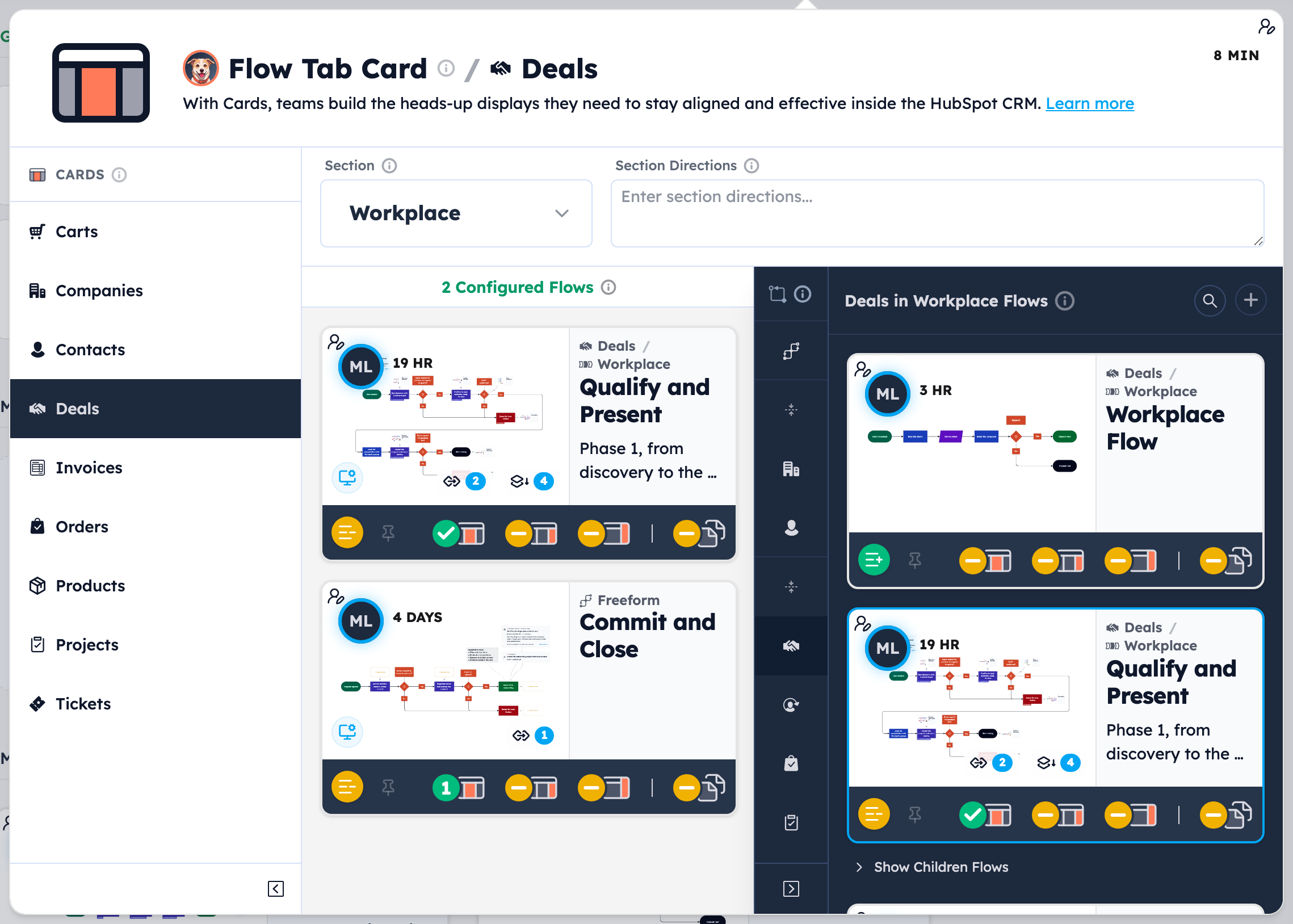
Opening it
- From the Header. The Tab, Sidebar and Preview buttons in the Header open the configurator for that kind of card.
- From a Flow card. The Tab, Sidebar and Preview buttons on a Flow card open it for that card and object type.
- From HubSpot. Configure Flow List on a section of a card in HubSpot opens Hooby Flow with that section selected.
Every part of the configurator, from record types and sections to display styles and adding Flows, is covered in Configuring Flow Cards.
On this page