

Finding your Flow
So much is mappable. The Flow Library is a growing collection of the Flow patterns revenue teams use most, from the pipelines and lifecycles at the heart of your process to the meetings, bulletins, roadmaps and onboarding around them. Every pattern is built out for Hooby Snacks, our fictional snack company, so you can see it working in a real-looking portal before you make your own. Each one puts the best practices in Creating Effective Flows to work, so whichever you start from is easy to follow.
You don't need to start from a blank canvas. Use an example as inspiration when you're getting organized:
- Find the pattern closest to what you're mapping. Browse the patterns below, grouped by what they're for. Each page explains what the Flow is for and the practices that make it work.
- Copy the example. On the pattern's page, the copy button on each Flow says Copy diagram to paste into a Flow.
- Paste it into a fresh Flow. Create a Flow in Hooby Flow and paste onto its canvas. For more, jump to Copy & Paste.
- Make your first-instinct adjustments. Swap Hooby Snacks' steps, stages and HubSpot accessories for your own. It doesn't need to be right yet, just recognizable.
- Pull it up at your team's next sync. The people who do the work will tell you what's missing. Give the Flow an owner and improve it together: see Assign Ownership but Iterate Together.
Your Revenue Process
The Flows at the heart of your process map: your pipelines, your lifecycles, and the decisions and AI that run through them.
Break apart long pipelines into a sequence of pipeline Flows. Add your HubSpot workflows as accessories so everyone knows what's automated. Connect the ends of each pipeline to the start of the next to ensure no balls are dropped.
Map your Contact & Company lifecycle stages, and pin the HubSpot settings that move people through them—defaults on create, lead & deal sync, and stage automation—so everyone can see how HubSpot is wired. Put the Flow directly in view on your HubSpot records.
When you need to communicate that a single decision is made up of lots of questions & answers, create a Decision element child Flow that defines the full decision tree. Use for BANT, MEDDIC, lead scoring decisions and more.
Breeze AI is a powerful tool, but learning to use it effectively takes time and plenty of trial and error. For all the steps where your teams use Breeze in their processes, add a child Flow to record the proven techniques that work best.
Your Team
Map how your people join, step away, come together and get work done in the tools they use.
Define the common onboarding steps for new hires, then branch by team or role to define the specific onboarding steps for each. Give them space in your Flow Pages so everyone can easily find them.
Your people go on vacation. It's good for them. Make life easier for those not on vacation by carefully defining what handoffs need to be made per role when your people step away and when they return.
Hosting a successful event requires the coordination of so many moving parts. Define a high-level Flow that communicates the major steps, and use child Flows to ensure every detail is covered.
For each tool your team regularly uses, and for every workflow they repeatedly do in that tool, create a Flow that documents what to do. Capture screenshots & annotate them with extra context.
Your Meetings
Map what each recurring meeting needs, decides and produces, and the prep work that gets it there.
For each meeting, fully map what information is needed, what decisions need to be made, and what artifacts need to be created and distributed. Link the relevant Flows so they can be easily accessed in each meeting.
Work backwards from your recurring meeting Flows to document what prep work is required from each member, ensuring you have everything you need to run your meetings efficiently & successfully.
On Every Record
Put what your teams need to know in front of them on the HubSpot records they already work.
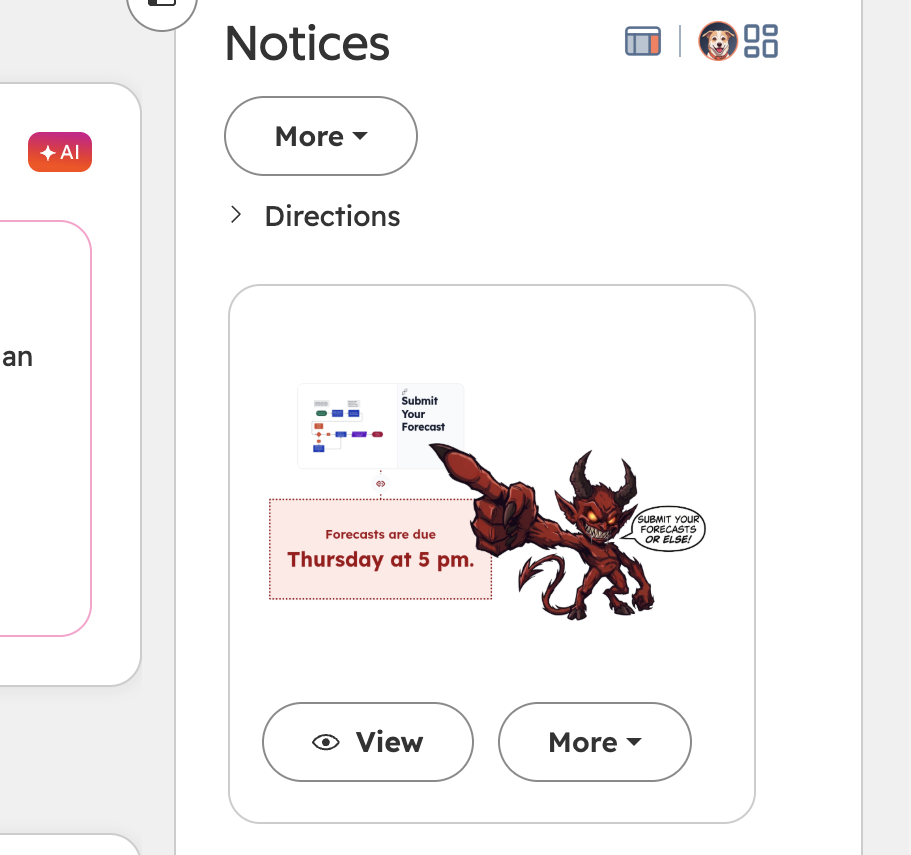
Nag your teams in the most effective way possible. Put a bulletin they can't easily ignore on every HubSpot record they work.
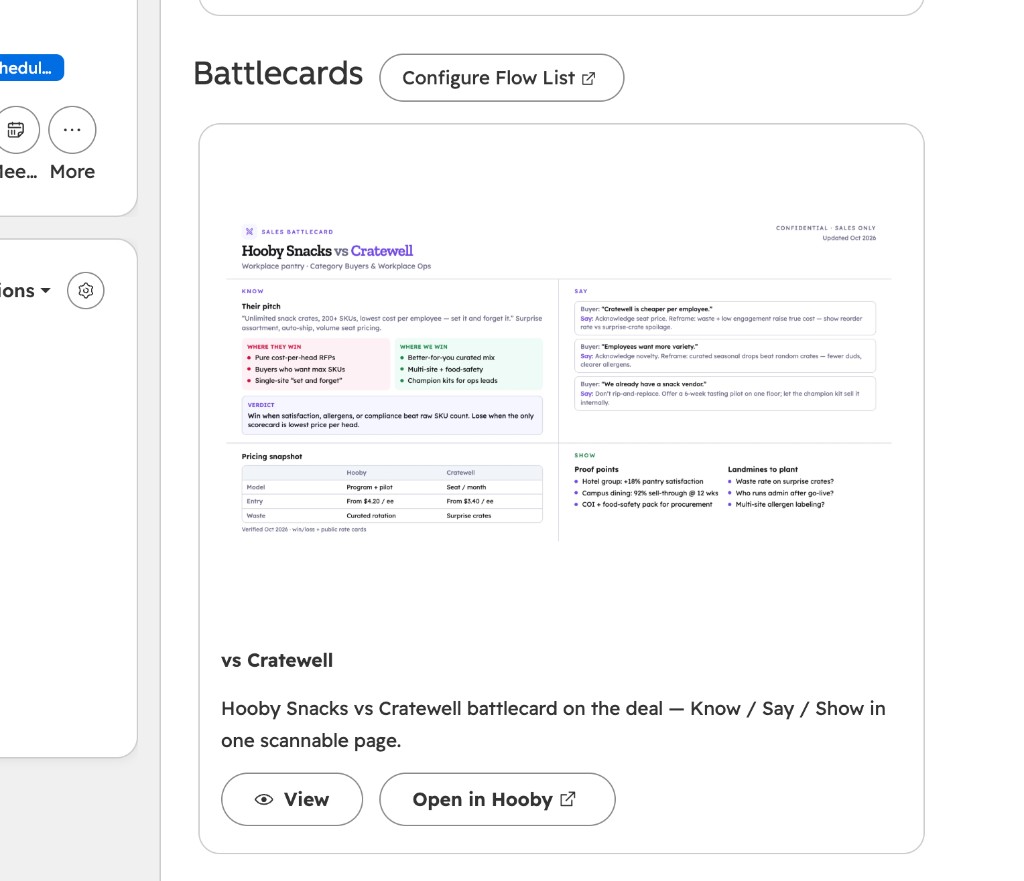
Get your battlecards directly in view for your sales teams. Annotate them regularly with fresh learnings.
Get your product roadmaps directly in view on the HubSpot records your teams are working. Annotate them with talking points & other context and update them regularly as schedules shift.
For HubSpot Solutions Partners
Show prospective clients exactly the operational improvements you'll make for them.
Show your RevOps clients exactly the operational improvements they can make if they work with you. Show them exactly where the HubSpot workflows you'll build for them will fit in their people processes.