
Preview Card
The Preview Card puts Flows in the preview panel HubSpot opens when someone clicks a record in a list or on a board. It lets people check a Flow while working through many records, without opening each one. The Flows on it are chosen in the Flow Cards Configurator.
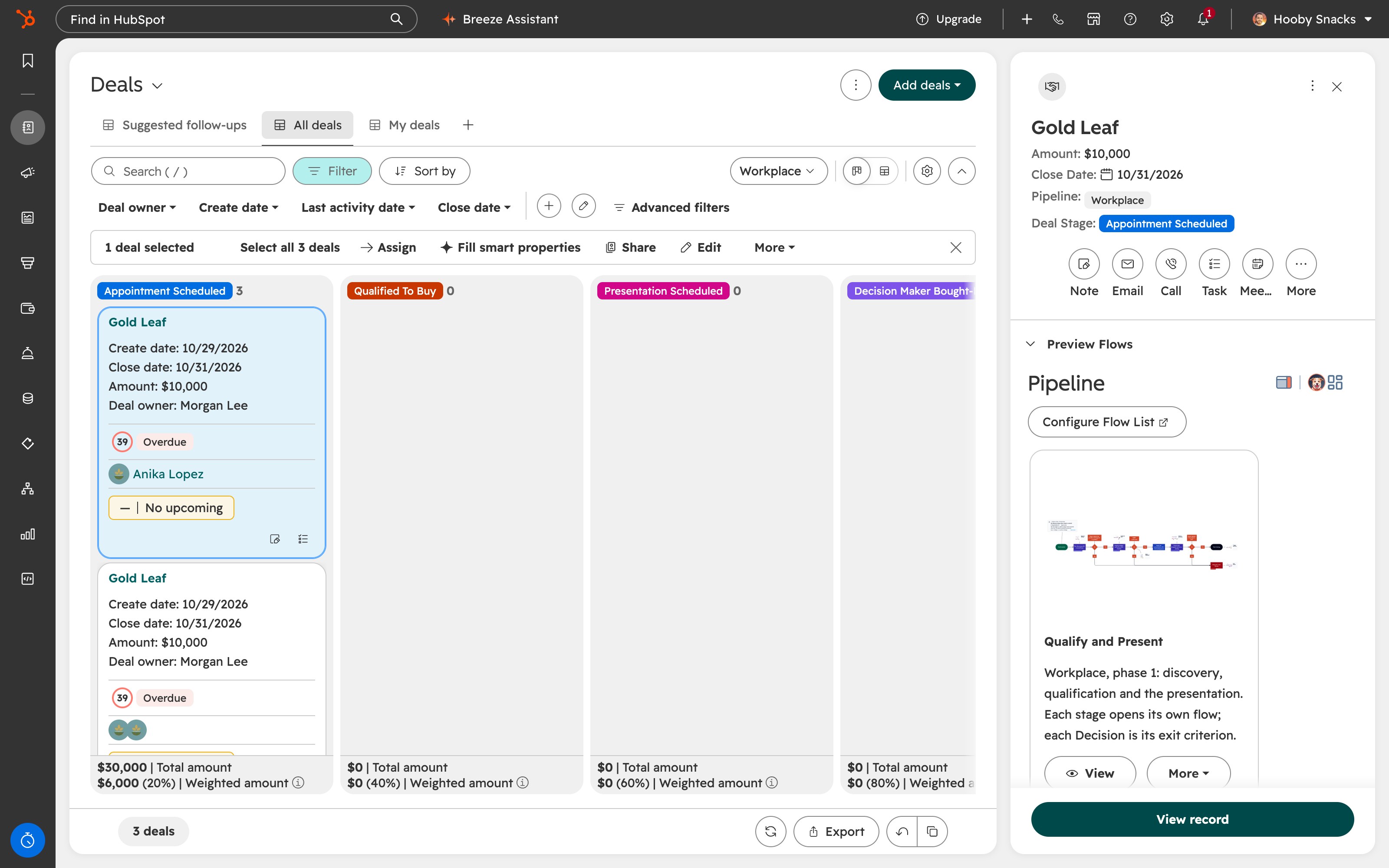
Where it appears
The Preview Card is called Preview Flows in HubSpot's card library. It can go on Contacts, Companies, Deals, Tickets, Leads, Products, Invoices, Orders, Carts, Listings, Projects, Appointments, Services, Courses and custom objects. It's the only one of the three record cards that can go on Leads.
A HubSpot admin adds it to the preview panel in HubSpot from the card library, filtered to apps. Every record of an object type shows the same Flows.
What the card shows
The Preview Card works like the Tab Card: titled sections, each with optional Directions and its Flows as tiles, and the dashboard icon () in the top right. For what a tile shows and does, jump to Flow tiles.

Because the preview panel is narrow, its tiles are always small: a small image, with or without the Flow's name and description.

For the other cards and pages in HubSpot, jump to HubSpot.