

Knowing Who's There
Hooby Flow shows who else is around, so you know when your teammates are looking at the same Flow as you.
On a Flow
This works the same in the Flow Editor and in the Flow Navigator in HubSpot. The avatars of everyone else around are in the bottom right of the Flow:
- Stacked up the right edge, with a green ring: the people on this Flow right now.
- In a row along the bottom, with a blue ring: the people elsewhere in Hooby Flow.
Hover an avatar to see that person's name and email.
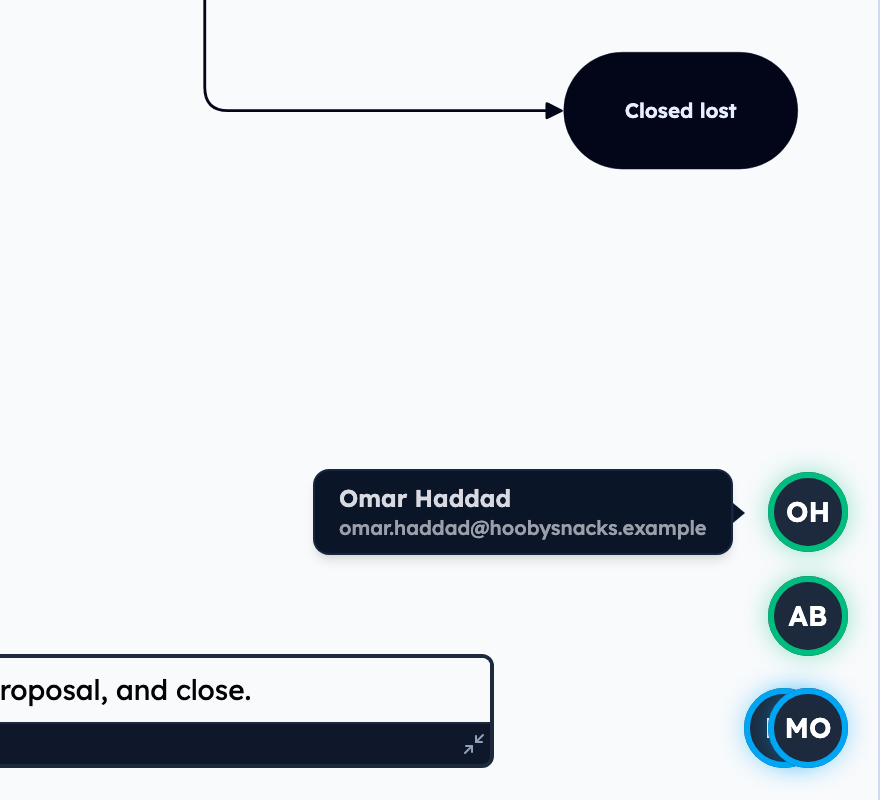
Reading a Flow in HubSpot counts as being on it: someone with a Flow open in the Flow Navigator shows on that Flow in Hooby Flow, and the other way round.
Lists of Flows
Who's there shows differently away from a Flow.
In Hooby Flow
The Dashboard and the lists of Flows show the same avatars in the bottom right, for the people on that page.
Each Flow card also shows the avatar of whoever last changed the Flow, with a ring for where they are now:
- Green: on that Flow.
- Blue: elsewhere in Hooby Flow.
- Grey: not in Hooby Flow.
The card for Close the Pantry Deal on Knowing What's Changed shows Maya Okafor's avatar with a green ring: she changed the Flow, and she's on it now.
In HubSpot
The Flow tiles on record cards, Flow Home and Flow Pages don't show who's there. Open a Flow with View to see who's on it.